
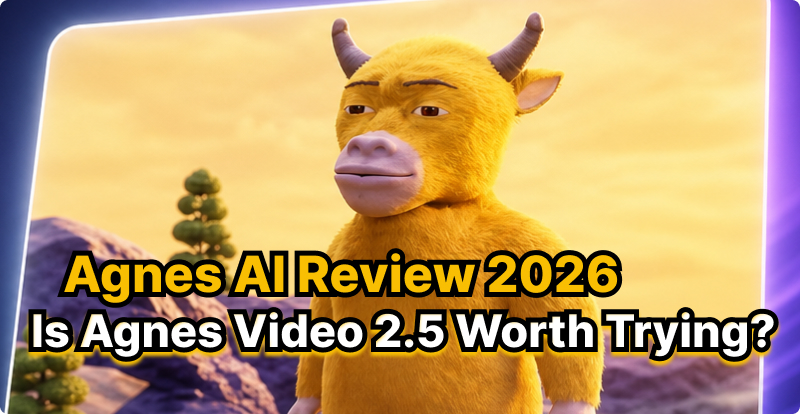
Recently, the animated film Niulai, created with Agnes AI, received plenty of negative reviews for its rough visuals, low-budget production, and out-of-sync audio. Yet it unexpectedly went viral on social media, becoming a hot topic online and even achieving respectable box-office results. So, what is Agnes AI? How can you use it to generate videos, and is it worth trying? This guide breaks it all down.
Part 1. What Is Agnes AI?
Agnes AI is an AI company and multimodal AI platform that develops and provides models for text, image, and video generation. Its model lineup includes the Agnes 2.5 family, as well as dedicated image and video models.
Agnes AI's Main Model Categories
| Category | Example Models | Main Use |
|---|---|---|
| Text & Reasoning | Agnes 2.5 Flash, Agnes 2.5 Pro Alpha | Chat, reasoning, coding, agents |
| Image | Agnes Image 2.1/2.5 | Image generation and editing |
| Video | Agnes Video 2.5 | Text-to-video and other AI video workflows |
Can Agnes AI Generate Videos?
Yes. Agnes AI can generate videos using its dedicated Agnes Video 2.5 model. It supports multimodal video generation, including text and image-based workflows, and can produce cinematic-quality video with synchronized audio.
Part 2. What Can Agnes Video 2.5 Do? Key Features
Agnes Video 2.5 is Agnes AI's dedicated AI video model. The official Agnes AI website currently presents it as a cinematic-quality video model with synchronized audio and lists it on its text-to-video leaderboard.
What Can Agnes Video 2.5 Do?
Agnes Video 2.5 is designed for AI video creation, including workflows such as:
- Text-to-video: Generate videos from written prompts.
- Image-to-video: Animate still images into video.
- Multimodal generation: Use different types of inputs to guide video creation.
- Cinematic video: Create visually rich scenes for creative projects.
- Audio-supported video: Agnes AI promotes its video generation capabilities with synchronized audio.
Advantages and Disadvantages of Agnes Video 2.5
Agnes Video 2.5 is most attractive when reference control and output flexibility matter more than long single-shot generation or pixel-perfect reproduction.
- Supports text-to-video, keyframes, and multimodal references.
- Accepts image, audio, and video references.
- Offers output up to 2K.
- Provides greater control over starting and ending frames.
- Suitable for short cinematic and creative videos.
- Standard generation is limited to 4–12 seconds per clip.
- References are not always reproduced exactly.
- Higher resolutions cost more.
- Generated text can sometimes be inaccurate.
- Complex results may require multiple generations or post-editing.
Agnes Video 2.5 vs. Agnes Video V2.0
Agnes AI's current model list explicitly separates Agnes Video V2.0, Agnes Video 2.5, and Agnes Video 2.5 Flash. These are different models, so they shouldn't be treated as two names for the same model:
| Features | Agnes Video V2.0 | Agnes Video 2.5 |
|---|---|---|
| Generation | Earlier model | Newer model |
| Text-to-video | ||
| Image-to-video | ||
| Video generation | ||
| Multimodal capabilities | Expanded | |
| Positioning | Earlier-generation model | Newer cinematic video model |
Part 3. How to Generate a Video Using Agnes Video 2.5
Agnes AI currently offers Agnes Video 2.5 as a dedicated video model and provides a “Try Now” entry point on its platform. Its official site describes the model as supporting cinematic-quality video with synchronized audio.
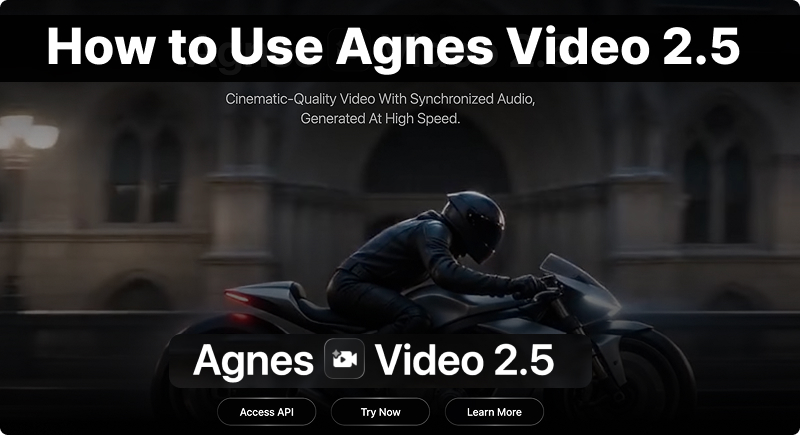
- Step 1.Go to the Agnes AI platform and sign in to your account. From the model or video-generation section, select Agnes Video 2.5.
- Step 2.Select the workflow you need, such as text-to-video or an image-based video workflow. Agnes AI's platform supports image-to-video capabilities as part of its multimodal video-generation offering.
- Step 3.Describe the video you want to create in your prompt, including the subject, action, setting, camera movement, visual style, dialogue, music, and sound effects.
- Step 4.For image-based generation, upload an image that you want Agnes Video 2.5 to use as a visual reference. This can help guide the character, composition, or overall appearance.
- Step 5.Review your prompt and settings, then click Generate. Agnes Video 2.5 processes the inputs and creates the video, with Agnes AI promoting synchronized audio-visual generation and fast performance.
- Step 6.Watch the generated video and check character consistency, motion quality, scene transitions, camera movement, audio sync, and overall prompt accuracy;
- Step 7.if needed, simplify the prompt or clarify the desired actions and camera movements before generating again.
Part 4. What Types of Videos Can Agnes Video 2.5 Create?
Agnes Video 2.5 is positioned as a cinematic video-generation model with synchronized audio and supports image-to-video workflows.
| Best Use Cases | Why |
|---|---|
| 1. Cinematic Scenes | Agnes Video 2.5 is suitable for visually rich scenes that require cinematic composition, movement, and atmosphere. Agnes AI specifically positions the model around cinematic-quality video. |
| 2. Short Stories | You can use it to create short narrative sequences featuring characters, actions, and changing environments. |
| 3. Image Animation | Use a still image as the starting point and add motion, camera movement, or environmental effects to turn it into video. Agnes AI highlights image-to-video as part of its multimodal video capabilities. |
| 4. Marketing Content | It can be useful for product demonstrations, promotional visuals, brand storytelling, and other commercial-style content. |
| 5. Social Media Videos | Short, visually distinctive clips can be used for social media posts, creative experiments, and short-form storytelling. |
Best suited for: creators, marketers, filmmakers, social media teams, and anyone who wants to turn text or visual ideas into polished short videos.
Part 5. Agnes Video 2.5 vs. Other AI Video Generators
Agnes Video 2.5 is best positioned as a short-form, reference-driven AI video model, rather than a direct replacement for every leading video generator. Here’s a quick comparison of Agnes Video 2.5, Seedance 2.5, Wan 2.7, and MiniMax H3.
| Feature | Agnes Video 2.5 | Seedance 2.5 | Wan 2.7 | MiniMax H3 |
|---|---|---|---|---|
| Main Strength | Cinematic video generation | Long-form storytelling | Control & consistency | Multimodal + native audio |
| Video Generation | ||||
| Text-to-Video | ||||
| Image-to-Video | ||||
| Native Audio | ||||
| Max Single Generation | Short-form | 30s | Up to 15s | Up to 15s |
| Multimodal References | 30 images + 10 videos + 10 audio | Up to 9 images / 3 videos / 3 audio | ||
| Video Editing | Advanced | |||
| Best For | Cinematic clips | Short films & storytelling | Controlled production workflows | Audio-rich creative videos |
Which One Should You Choose?
There’s no single best AI video model for every workflow. Choose the model that best fits your specific needs and creative goals.
- Choose Agnes Video 2.5 if your priority is cinematic short-form video generation and you want to work within the Agnes AI ecosystem.
- Choose Seedance 2.5 if you want longer videos, complex storytelling, extensive references, and advanced editing. Its 30-second single-generation capability makes it the strongest choice for multi-shot storytelling among these five.
- Choose Wan 2.7 if you need fine-grained control over characters, references, keyframes, video continuation, or editing. Its separate T2V, I2V, R2V, and Video Edit workflows make it particularly flexible for production-oriented workflows.
- Choose MiniMax H3 if audio is an important part of the generation. H3 generates native stereo audio together with the video and supports up to 2K output and 15-second clips.
Part 6. FAQ About Agnes Video 2.5
Is Agnes Video 2.5 Free to Use?
No, Agnes Video 2.5 is not currently free. According to Agnes AI's latest pricing documentation, the model is charged based on output resolution and video duration.
What’s the Difference Between Agnes Video 2.5 and Agnes Video 2.5 Flash?
Agnes Video 2.5 and Agnes Video 2.5 Flash are two versions of Agnes AI’s video-generation model. They share the same core workflow, but the standard Agnes Video 2.5 offers more output flexibility, while 2.5 Flash is designed for faster, more cost-efficient generation.
| Feature | Agnes Video 2.5 | Agnes Video 2.5 Flash |
|---|---|---|
| Positioning | Full-featured video model | Faster, more economical version |
| Text-to-Video | ||
| Image/Reference Generation | ||
| 720p | ||
| 960p | — | |
| 2K | — | |
| Generation Duration | 4–12s | 4–12s |
| Pricing | Paid | Currently free for a limited time |
| Best For | Higher-quality, flexible production | Fast testing and iteration |
Can Agnes AI generate videos from text?
Yes. Agnes AI can generate videos from text prompts. With Agnes Video 2.5, users can describe a scene, character, action, camera movement, and visual style in natural language, and the model generates a corresponding video. Agnes Video 2.5 Flash also supports text-to-video generation.
Can Agnes AI turn images into videos?
Yes. Agnes AI can turn images into videos. With Agnes Video 2.5, users can use a still image as a visual reference and describe the desired motion, camera movement, and scene changes in a prompt to generate a video. For example:
A woman walks slowly through a futuristic city at night. Neon lights reflect on the wet streets as the camera smoothly tracks alongside her. Cinematic lighting and realistic motion.
Does Agnes Video 2.5 generate audio?
Yes. Agnes Video 2.5 can generate synchronized audio together with video. This allows creators to produce more complete audiovisual content, including scenes with dialogue, sound effects, ambient audio, and music.
What Can You Create with Agnes Video 2.5?
Agnes Video 2.5 can turn text and visual ideas into cinematic videos with synchronized audio. It can be used for a variety of creative and commercial projects.
- Cinematic Videos: Create visually rich scenes with dynamic camera movements, lighting, and cinematic effects.
- Short Stories & Films: Turn story concepts into engaging scenes for short films and narrative content.
- Image-to-Video Content: Bring static images, characters, artwork, or product visuals to life with motion.
- Product & Marketing Videos: Create promotional clips, product showcases, and advertising content.
- Social Media Videos: Generate engaging short-form content for platforms such as TikTok, Instagram, and YouTube.
- Creative Projects: Experiment with different characters, environments, visual styles, and storytelling concepts.
Final Verdict: Is Agnes Video 2.5 Worth Trying?
If you’re looking for cinematic AI video generation with synchronized audio, Agnes Video 2.5 is worth trying. It’s especially well suited for short-form creative content, storytelling, marketing videos, and visual experiments. For creators who want to quickly turn ideas into polished, cinematic video clips, Agnes Video 2.5 is a solid choice.
However, it may not be the best fit for every project, especially if you need highly complex, long-form videos or advanced production controls. You can also try Seedance 2.5, Wan 2.7, and MiniMax H3 on Vidverse AI to find the model that best fits your workflow.
'%3e%3crect%20y='2.1906'%20width='26'%20height='17.4314'%20rx='1.55981'%20fill='white'/%3e%3c/g%3e%3crect%20x='0.311961'%20y='2.50256'%20width='25.3761'%20height='16.8075'%20rx='1.24784'%20stroke='%2322257C'%20stroke-width='0.623922'/%3e%3c/g%3e%3crect%20x='13.078'%20y='15.5656'%20width='10.8016'%20height='2.49569'%20rx='0.623922'%20fill='%2366B3FF'%20stroke='%2322257C'%20stroke-width='0.623922'/%3e%3crect%20x='-0.311961'%20y='0.311961'%20width='10.8016'%20height='2.49569'%20rx='0.623922'%20transform='matrix(-1%200%200%201%2012.61%2015.2536)'%20fill='%2366B3FF'%20stroke='%2322257C'%20stroke-width='0.623922'/%3e%3crect%20x='10.3093'%20y='13.3231'%20width='4.91339'%20height='6.98013'%20rx='2.45669'%20fill='%2322257C'/%3e%3cpath%20d='M18.9174%200.31543C20.5962%200.268025%2022.1261%200.655527%2023.9487%201.55762C24.0483%201.60695%2024.1137%201.71153%2024.1137%201.8291V16.502C24.1137%2016.7236%2023.8763%2016.891%2023.6499%2016.7979C21.803%2016.0377%2020.2158%2015.6963%2018.4975%2015.7705C16.8915%2015.8399%2015.1907%2016.2732%2013.0776%2017.0332V1.6709C15.4678%200.825877%2017.2746%200.36187%2018.9174%200.31543Z'%20fill='white'%20stroke='%2322257C'%20stroke-width='0.623922'/%3e%3cpath%20d='M15.3008%204.57C16.3536%203.94578%2019.2783%203.20503%2021.8909%203.94608'%20stroke='%2366B3FF'%20stroke-width='0.935883'%20stroke-linecap='round'/%3e%3cpath%20d='M15.3008%207.26054C16.3536%206.63631%2019.2783%205.89557%2021.8909%206.63661'%20stroke='%2366B3FF'%20stroke-width='0.935883'%20stroke-linecap='round'/%3e%3cpath%20d='M15.3008%209.95107C16.3536%209.32684%2019.2783%208.5861%2021.8909%209.32714'%20stroke='%2366B3FF'%20stroke-width='0.935883'%20stroke-linecap='round'/%3e%3cpath%20d='M15.3008%2012.6398C16.3536%2012.0156%2019.2783%2011.2749%2021.8909%2012.0159'%20stroke='%2366B3FF'%20stroke-width='0.935883'%20stroke-linecap='round'/%3e%3cpath%20d='M7.08257%200.31543C5.40384%200.268025%203.87393%200.655527%202.05132%201.55762C1.95165%201.60695%201.88628%201.71153%201.88628%201.8291V16.502C1.88628%2016.7236%202.12373%2016.891%202.35014%2016.7979C4.19702%2016.0377%205.78418%2015.6963%207.50249%2015.7705C9.10852%2015.8399%2010.8093%2016.2732%2012.9224%2017.0332V1.6709C10.5322%200.825877%208.72541%200.36187%207.08257%200.31543Z'%20fill='white'%20stroke='%2322257C'%20stroke-width='0.623922'/%3e%3cpath%20d='M10.6992%204.57C9.64638%203.94578%206.72175%203.20503%204.10907%203.94608'%20stroke='%2366B3FF'%20stroke-width='0.935883'%20stroke-linecap='round'/%3e%3cpath%20d='M10.6992%207.26054C9.64638%206.63631%206.72175%205.89557%204.10907%206.63661'%20stroke='%2366B3FF'%20stroke-width='0.935883'%20stroke-linecap='round'/%3e%3cpath%20d='M10.6992%209.95107C9.64638%209.32684%206.72175%208.5861%204.10907%209.32714'%20stroke='%2366B3FF'%20stroke-width='0.935883'%20stroke-linecap='round'/%3e%3cpath%20d='M10.6992%2012.6398C9.64638%2012.0156%206.72175%2011.2749%204.10907%2012.0159'%20stroke='%2366B3FF'%20stroke-width='0.935883'%20stroke-linecap='round'/%3e%3c/g%3e%3cdefs%3e%3cfilter%20x='0'%20y='2.1906'%20width='26'%20height='17.4314'%20filterUnits='userSpaceOnUse'%20color-interpolation-filters='sRGB'%3e%3cfeFlood%20flood-opacity='0'%20result='BackgroundImageFix'/%3e%3cfeBlend%20mode='normal'%20in='SourceGraphic'%20in2='BackgroundImageFix'%20result='shape'/%3e%3cfeColorMatrix%20in='SourceAlpha'%20type='matrix'%20values='0%200%200%200%200%200%200%200%200%200%200%200%200%200%200%200%200%200%20127%200'%20result='hardAlpha'/%3e%3cfeOffset%20dy='-1.24784'/%3e%3cfeComposite%20in2='hardAlpha'%20operator='arithmetic'%20k2='-1'%20k3='1'/%3e%3cfeColorMatrix%20type='matrix'%20values='0%200%200%200%200.572549%200%200%200%200%200.768627%200%200%200%200%200.976471%200%200%200%201%200'/%3e%3cfeBlend%20mode='normal'%20in2='shape'%20result='effect1_innerShadow_0_4'/%3e%3c/filter%3e%3c/defs%3e%3c/svg%3e)