
Nano Banana 2.1 is considered one of Gemini’s best image generators, with improvements in prompt adherence, editing precision, and multi-character consistency. This guide explores what’s new in Nano Banana 2.1, how it differs from Nano Banana 2.0, and how to use it to create images you’ll love.
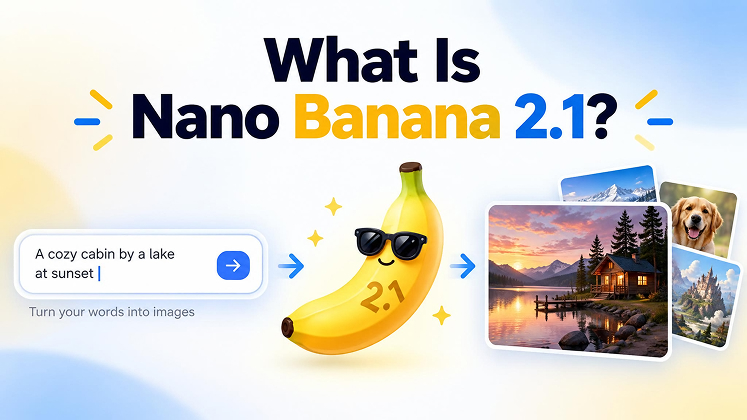
Part 1. What Is Nano Banana 2.1?
Released in October 2026, Nano Banana 2.1 introduces improvements in image quality, visual design, editing precision, and subject consistency compared with Nano Banana 2.0. Built on Gemini 3.6 Flash, the updated model is designed to generate more natural-looking images while giving users greater control over complex creative tasks.
Part 2. What's New in Nano Banana 2.1?
Nano Banana 2.1 brings several key upgrades:
1. Better Image Quality and Visual Design
Nano Banana 2.1 improves overall visual quality, making it better suited to detailed illustrations, realistic images, and professional-looking creative assets.
2. More Precise Image Editing
The model improves mask-based editing, helping users modify selected areas of an image while better preserving other elements. This is useful for changing backgrounds, adjusting objects, and refining product visuals.
3. Improved Character and Object Consistency
Nano Banana 2.1 is better at maintaining recognizable characters and product details across multiple edits. It supports up to 14 reference images, making it easier to combine visual references in a single workflow.
4. Clearer Text and Better Infographics
The updated model improves text rendering, visual layouts, and infographic generation, making it useful for posters, diagrams, marketing graphics, and other text-heavy designs.
5. Lower API Image-Generation Costs
Nano Banana 2.1 maintains a Flash-based workflow and significantly reduces image-output API prices compared with Nano Banana 2.0. According to reported standard API pricing, a 1K image costs approximately $0.0336 versus $0.067 for the previous model. Actual costs depend on usage and API pricing terms.
Part 3. Nano Banana 2.1 vs 2.0: What's the Difference?
Nano Banana 2.1 builds on Nano Banana 2 with improvements to image quality, editing precision, text rendering, and character consistency. Both models support AI image generation and editing, but the newer version is designed to deliver better results for complex creative tasks.
Nano Banana 2.1 vs 2.0: Feature Comparison
| Feature | Nano Banana 2.1 | Nano Banana 2.0 |
|---|---|---|
| Image generation | Improved visual design and image quality | High-quality generation with fast performance |
| Image editing | More precise targeted edits | Supports conversational image editing |
| Text rendering | Improved accuracy and readability | Supports text generation in images |
| Character consistency | Stronger consistency across multiple edits | Supports subject consistency |
| Reference images | Supports up to 14 images per prompt | Supports reference-based generation |
| Resolution | Supports 1K, 2K, and 4K | Supports multiple resolutions |
Nano Banana 2.1 vs 2.0: Same-Prompt Test
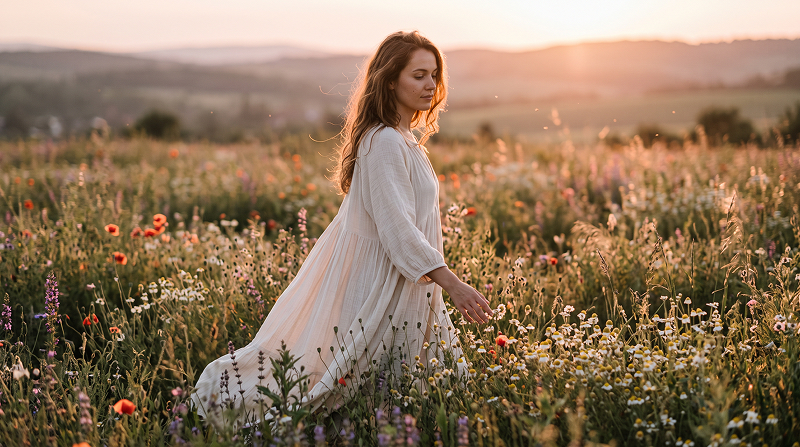
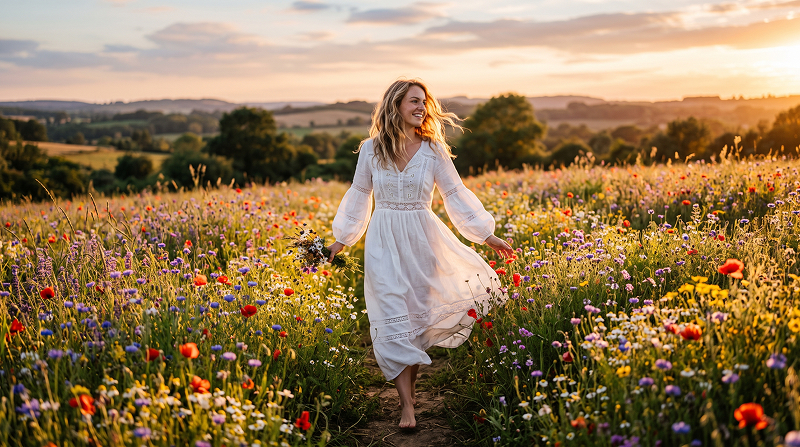
To understand the differences between Nano Banana 2.1 and Nano Banana 2.0, the fairest approach is to test both models with the same prompts, reference images, aspect ratios, and output resolutions. This helps reveal how each model handles image quality, text rendering, prompt accuracy, and editing consistency.
Test 1. Photorealistic Image Generation
Prompt: Create a photorealistic image of a woman walking through a flower field at golden hour. She wears a flowing white dress, with flowers reaching her waist. Use natural skin texture, soft sunlight, realistic fabric details, and cinematic composition. No text or logos.
Test 2. Photos of Complex Scenes
Prompt: Modern kitchen, dusk. Woman sitting on marble countertop, man standing between her legs, one hand on counter behind her, other tilting her chin for a kiss. Half-cut vegetables and running faucet nearby, suggesting sudden impulse. She still wears an apron. The scene has a warm color palette, an intimate atmosphere, and a cinematic look.
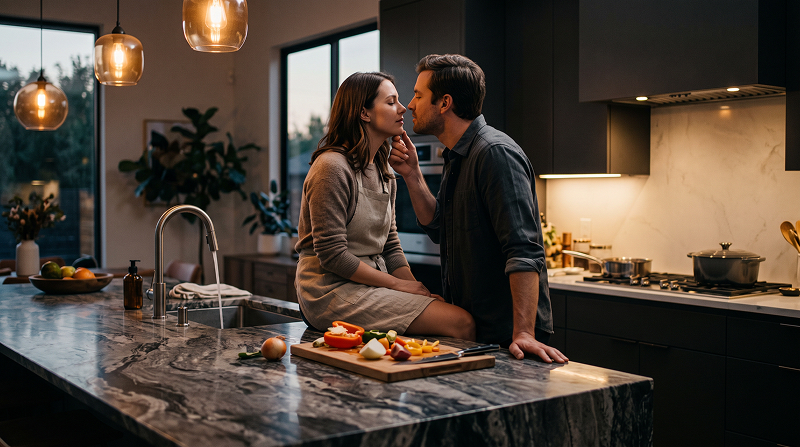
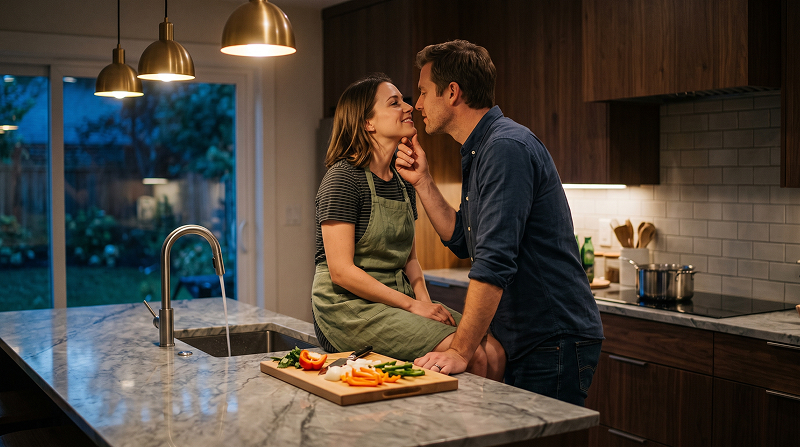
Test 3. Text Rendering and Graphic Design
Prompt: Design a minimalist coffee shop poster with the exact headline “SLOW MORNING,” the subtitle “Fresh Coffee, Every Day,” and the price “$4.50.” Use a cream background, dark brown typography, and a small coffee cup illustration. Include only the specified text.
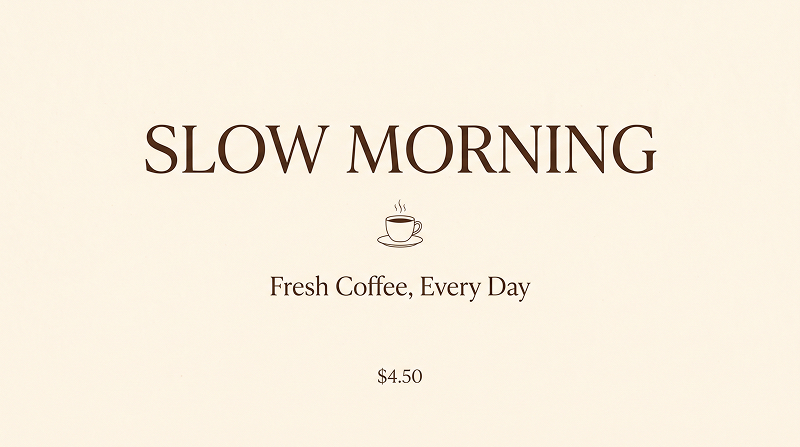
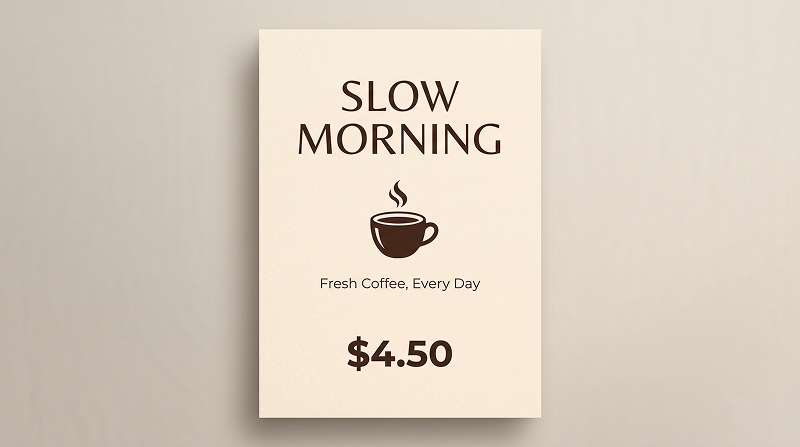
Test 4. Product Image Generation
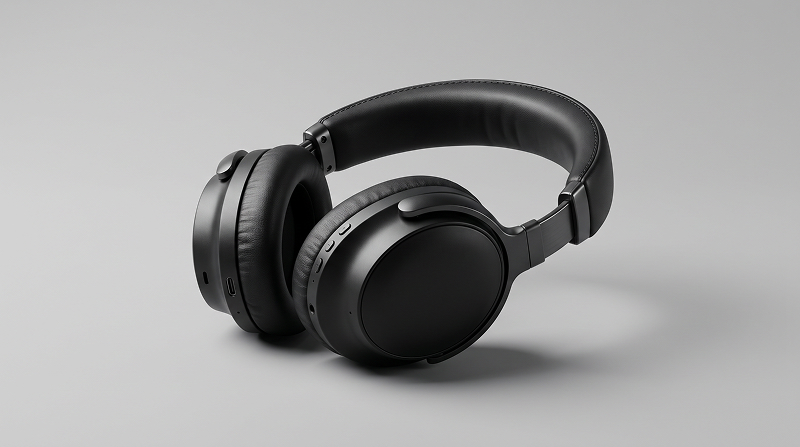
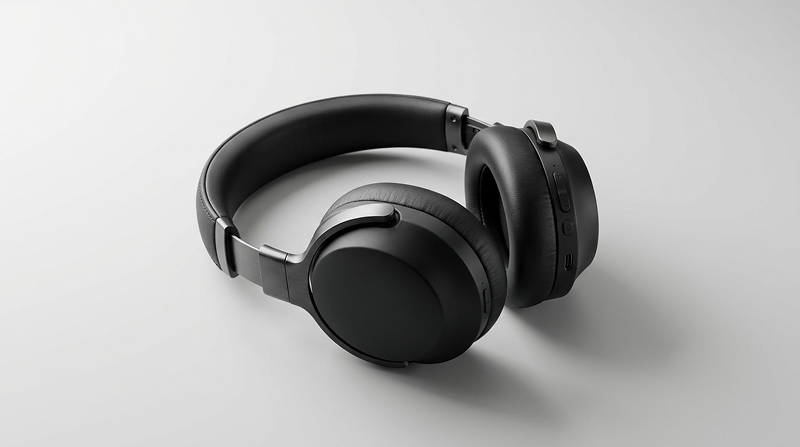
Prompt: Create a premium product photo of a matte-black wireless headphone on a clean light-gray background. Use soft studio lighting from the left, a subtle shadow on the right, sharp material details, and a luxury advertising aesthetic. Do not add text or logos.
Is Nano Banana 2.1 Better Than 2.0?
Yes, Nano Banana 2.1 is generally the better choice for users who need more precise image editing, stronger character consistency, and improved text rendering.
However, the best choice depends on your needs:
- Choose Nano Banana 2.1 for complex edits, text-heavy graphics, multi-image compositions, and projects that require consistent characters or objects.
- Choose Nano Banana 2.0 for everyday image generation if it already meets your quality needs or is more accessible through your preferred platform.
Part 4. How to Use Nano Banana 2.1: Gemini and Vidverse
You can use Nano Banana 2.1 through supported platforms such as Gemini and Vidverse. Both workflows let you create images from text prompts and refine visuals with AI.
Method 1. Create images in Gemini
- Step 1.Visit Gemini and sign in.
- Step 2.Open the image-generation tool and select Nano Banana 2.1 if it is available with your plan.
- Step 3.Describe the subject, setting, style, lighting, and composition you want.
- Step 4.Review the image and use follow-up prompts to adjust details.
- Step 5.Save the finished result.
Method 2. Use Nano Banana 2.1 in Vidverse
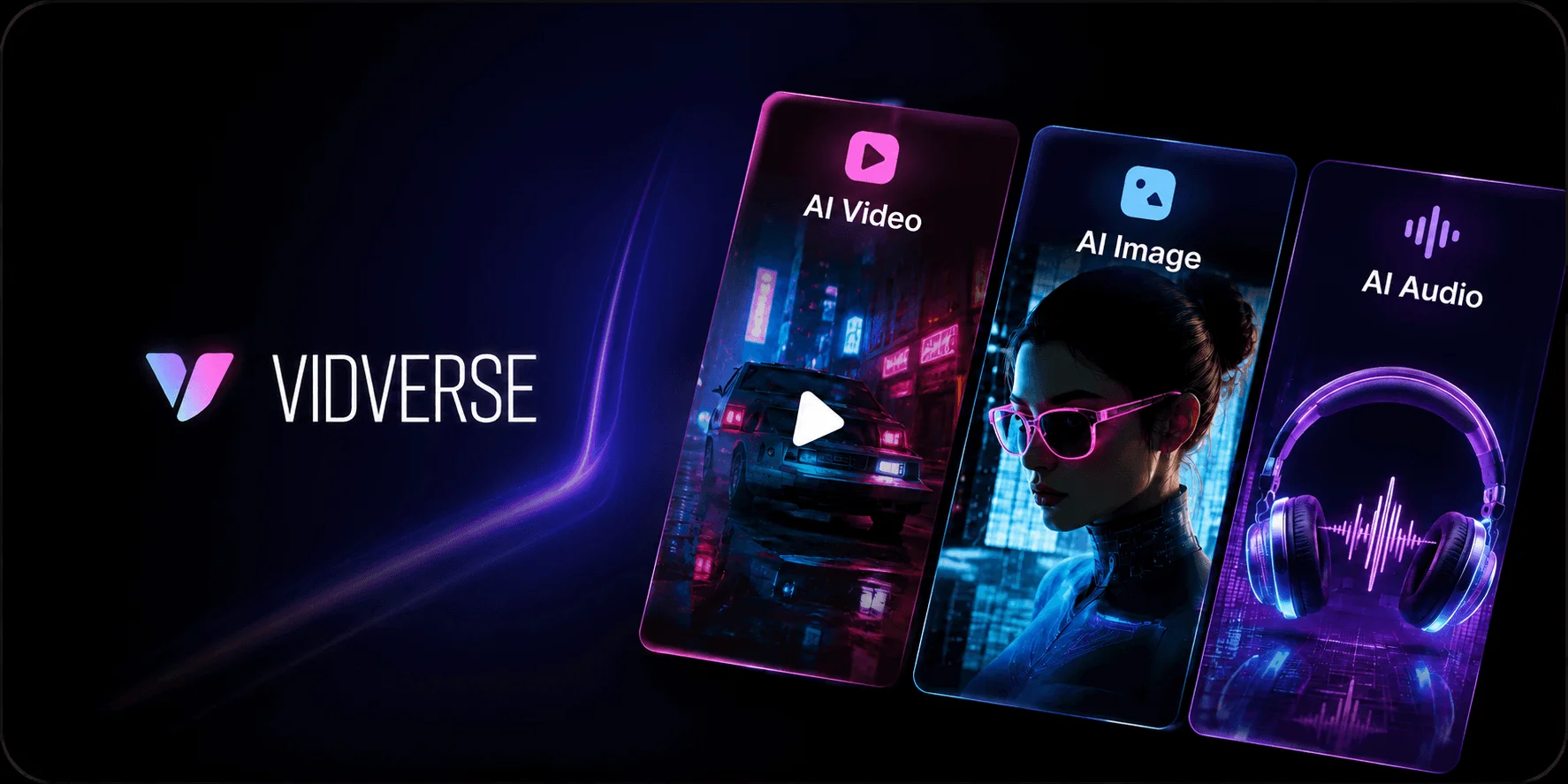
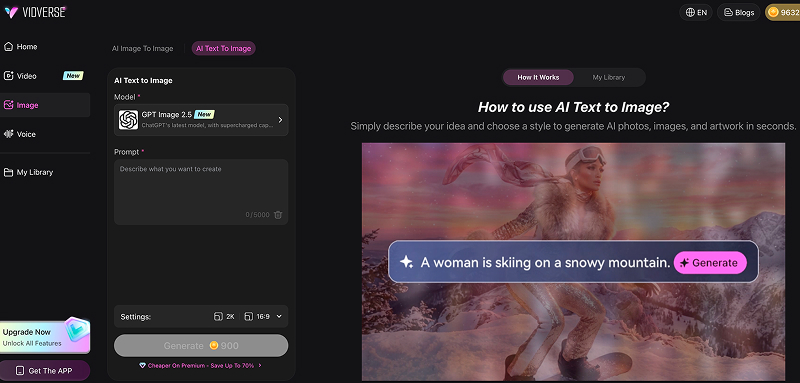
Vidverse AI Image Generator lets you create images from text prompts and transform existing images with AI. From realistic photos and portraits to digital art, product visuals, and social media graphics, you can bring your ideas to life in any style without advanced design skills.
- Step 1.Visit Vidverse AI.
- Step 2.Choose an Image Tool, open the text-to-image or image-to-image generator.
- Step 3.Select the Model, Choose Nano Banana 2.1 if it appears in the available model list.
- Step 4.Enter a Prompt or Upload an Image, describe the image you want to create or the changes you want to make.
- Step 5.Review the result, refine your prompt if necessary, and download the image.
Part 5. FAQs About Nano Banana 2.1
Is Nano Banana 2.1 free to use?
Nano Banana 2.1 is not fully free on every platform. Google offers free image generation through Gemini, but its official page says access to the more advanced Nano Banana 2.1 model requires a Google AI plan.
Nano Banana 2.1 may be available for free through select AI platforms, including Vidverse AI, with usage limits or paid plans depending on the platform.
How Much Does Nano Banana 2.1 Cost?
Nano Banana 2.1 pricing depends on how you access it. Through Google's Gemini API, image generation is billed per output image, with higher-resolution images costing more. The API's image-output fees are approximately 50% lower than those of Nano Banana 2, although additional input and processing costs may apply.
According to Google's Gemini API pricing, Nano Banana 2.1 costs:
| Image resolution | Standard API | Batch API |
|---|---|---|
| 1K | $0.0336/image | $0.0168/image |
| 2K | $0.0504/image | $0.0252/image |
| 4K | $0.113/image | $0.0567/image |
What is the difference between Nano Banana 2.1 and 2.0?
Nano Banana 2.1 offers improved image quality, prompt accuracy, and detail consistency over Nano Banana 2.0, making it better suited for creating more realistic and precise AI-generated images.
Does Nano Banana 2.1 generate more realistic images?
Yes, Nano Banana 2.1 can generate more realistic images with finer details, more natural textures, and more accurate lighting.
Can Nano Banana 2.1 edit existing images?
Yes, Nano Banana 2.1 can edit existing images based on text prompts, letting you modify backgrounds, change objects, adjust styles, and refine details while preserving the original composition.
Where can I access Nano Banana 2.1?
Nano Banana 2.1 is available through supported platforms, but access depends on the service and your subscription.
- Google Gemini: Generate and edit images directly in the Gemini app. Access to Nano Banana 2.1 requires an eligible Google AI plan.
- Google AI Studio: Test the model and experiment with image-generation prompts.
- Gemini API: Integrate Nano Banana 2.1 into your own applications using Google's API.
- Third-party AI platforms: Some services may offer access to the model, depending on their supported models and plans.
Conclusion
This guide explains the differences between Nano Banana 2.1 and 2.0 and how to use Nano Banana 2.1. We hope it helps you choose the right AI image generator for your needs. If you’d like to try Nano Banana 2.1 for free, you can explore platforms like Vidverse AI.
'%3e%3crect%20y='2.1906'%20width='26'%20height='17.4314'%20rx='1.55981'%20fill='white'/%3e%3c/g%3e%3crect%20x='0.311961'%20y='2.50256'%20width='25.3761'%20height='16.8075'%20rx='1.24784'%20stroke='%2322257C'%20stroke-width='0.623922'/%3e%3c/g%3e%3crect%20x='13.078'%20y='15.5656'%20width='10.8016'%20height='2.49569'%20rx='0.623922'%20fill='%2366B3FF'%20stroke='%2322257C'%20stroke-width='0.623922'/%3e%3crect%20x='-0.311961'%20y='0.311961'%20width='10.8016'%20height='2.49569'%20rx='0.623922'%20transform='matrix(-1%200%200%201%2012.61%2015.2536)'%20fill='%2366B3FF'%20stroke='%2322257C'%20stroke-width='0.623922'/%3e%3crect%20x='10.3093'%20y='13.3231'%20width='4.91339'%20height='6.98013'%20rx='2.45669'%20fill='%2322257C'/%3e%3cpath%20d='M18.9174%200.31543C20.5962%200.268025%2022.1261%200.655527%2023.9487%201.55762C24.0483%201.60695%2024.1137%201.71153%2024.1137%201.8291V16.502C24.1137%2016.7236%2023.8763%2016.891%2023.6499%2016.7979C21.803%2016.0377%2020.2158%2015.6963%2018.4975%2015.7705C16.8915%2015.8399%2015.1907%2016.2732%2013.0776%2017.0332V1.6709C15.4678%200.825877%2017.2746%200.36187%2018.9174%200.31543Z'%20fill='white'%20stroke='%2322257C'%20stroke-width='0.623922'/%3e%3cpath%20d='M15.3008%204.57C16.3536%203.94578%2019.2783%203.20503%2021.8909%203.94608'%20stroke='%2366B3FF'%20stroke-width='0.935883'%20stroke-linecap='round'/%3e%3cpath%20d='M15.3008%207.26054C16.3536%206.63631%2019.2783%205.89557%2021.8909%206.63661'%20stroke='%2366B3FF'%20stroke-width='0.935883'%20stroke-linecap='round'/%3e%3cpath%20d='M15.3008%209.95107C16.3536%209.32684%2019.2783%208.5861%2021.8909%209.32714'%20stroke='%2366B3FF'%20stroke-width='0.935883'%20stroke-linecap='round'/%3e%3cpath%20d='M15.3008%2012.6398C16.3536%2012.0156%2019.2783%2011.2749%2021.8909%2012.0159'%20stroke='%2366B3FF'%20stroke-width='0.935883'%20stroke-linecap='round'/%3e%3cpath%20d='M7.08257%200.31543C5.40384%200.268025%203.87393%200.655527%202.05132%201.55762C1.95165%201.60695%201.88628%201.71153%201.88628%201.8291V16.502C1.88628%2016.7236%202.12373%2016.891%202.35014%2016.7979C4.19702%2016.0377%205.78418%2015.6963%207.50249%2015.7705C9.10852%2015.8399%2010.8093%2016.2732%2012.9224%2017.0332V1.6709C10.5322%200.825877%208.72541%200.36187%207.08257%200.31543Z'%20fill='white'%20stroke='%2322257C'%20stroke-width='0.623922'/%3e%3cpath%20d='M10.6992%204.57C9.64638%203.94578%206.72175%203.20503%204.10907%203.94608'%20stroke='%2366B3FF'%20stroke-width='0.935883'%20stroke-linecap='round'/%3e%3cpath%20d='M10.6992%207.26054C9.64638%206.63631%206.72175%205.89557%204.10907%206.63661'%20stroke='%2366B3FF'%20stroke-width='0.935883'%20stroke-linecap='round'/%3e%3cpath%20d='M10.6992%209.95107C9.64638%209.32684%206.72175%208.5861%204.10907%209.32714'%20stroke='%2366B3FF'%20stroke-width='0.935883'%20stroke-linecap='round'/%3e%3cpath%20d='M10.6992%2012.6398C9.64638%2012.0156%206.72175%2011.2749%204.10907%2012.0159'%20stroke='%2366B3FF'%20stroke-width='0.935883'%20stroke-linecap='round'/%3e%3c/g%3e%3cdefs%3e%3cfilter%20x='0'%20y='2.1906'%20width='26'%20height='17.4314'%20filterUnits='userSpaceOnUse'%20color-interpolation-filters='sRGB'%3e%3cfeFlood%20flood-opacity='0'%20result='BackgroundImageFix'/%3e%3cfeBlend%20mode='normal'%20in='SourceGraphic'%20in2='BackgroundImageFix'%20result='shape'/%3e%3cfeColorMatrix%20in='SourceAlpha'%20type='matrix'%20values='0%200%200%200%200%200%200%200%200%200%200%200%200%200%200%200%200%200%20127%200'%20result='hardAlpha'/%3e%3cfeOffset%20dy='-1.24784'/%3e%3cfeComposite%20in2='hardAlpha'%20operator='arithmetic'%20k2='-1'%20k3='1'/%3e%3cfeColorMatrix%20type='matrix'%20values='0%200%200%200%200.572549%200%200%200%200%200.768627%200%200%200%200%200.976471%200%200%200%201%200'/%3e%3cfeBlend%20mode='normal'%20in2='shape'%20result='effect1_innerShadow_0_4'/%3e%3c/filter%3e%3c/defs%3e%3c/svg%3e)